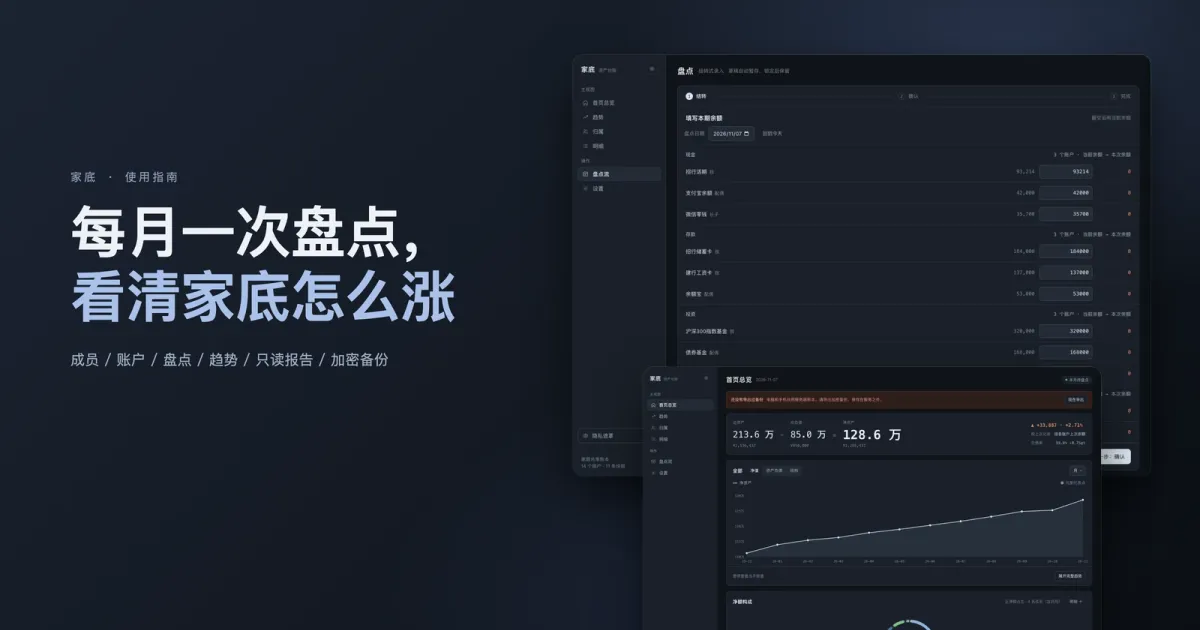
Jiadi (Chinese for “family assets”) doesn’t track transactions. Every so often you tell it how much is sitting in each account, and it draws the line for you: how much you gained, who holds what, how much of it is debt.
This post follows the order you’ll hit things the first time: set up → check in → look → show the family → back up.
Every screenshot here comes from the app’s built-in demo data (SEED), not anybody’s real ledger. Right after you install it the numbers are empty. You fill them in.
Know what you’re getting
| It does | It doesn’t |
|---|---|
| Records each account’s balance on a schedule | Log individual income and expenses |
| Turns balance changes into trends, split by person, split by category | Do budgets or category ledgers |
| Produces read-only reports and encrypted backups | Connect to banks or Alipay, or sync anything over the network |
One sentence to decide whether it fits: you want a number that updates monthly — “what is the house worth right now” — not a book you have to keep every day.
Install it: pick one of three
| Route | Best for | Command / entry point |
|---|---|---|
| fnOS micro app (fpk) | You’ve got a Feiniu NAS and the whole family uses it | Install from the app center, get a desktop icon |
| Docker | Any box that runs containers | docker compose up -d (the repo ships a compose.yaml) |
| Plain Node | You just want to try it on your laptop | node server.mjs, then open http://localhost:8080 |
Zero dependencies (you never even run npm install), Node ≥ 22. First launch asks you for an app password: 4–8 characters, letters and digits, stored as a salted hash, never in plaintext. That password unlocks the ledger and encrypts exports later on.
Set up: members first, then accounts
Don’t flip the order. Every account belongs to a member.
Members: one per person in the house, plus a default “Shared” (the shared pot, shared accounts). Each member gets a color you can change, and that’s how charts tell them apart.
Accounts: one account per asset or liability, and three attributes do the work:
| Attribute | Options | What it decides |
|---|---|---|
| Category | Cash / Deposits / Investments / Fixed assets / Debt | Which group it lands in on the breakdown, and its chart color |
| Owner | A member, or “Shared” | How the per-person view splits |
| Counts toward net worth | On / Off | Some accounts (money you’re holding for someone else) probably shouldn’t count |
You can also fill in: opened date, maturity date (Jiadi reminds you before it lapses), current balance, notes.
The monthly check-in (the core loop)
This is the only thing you have to do on a schedule. Click Check-in flow in the left sidebar. Three steps.
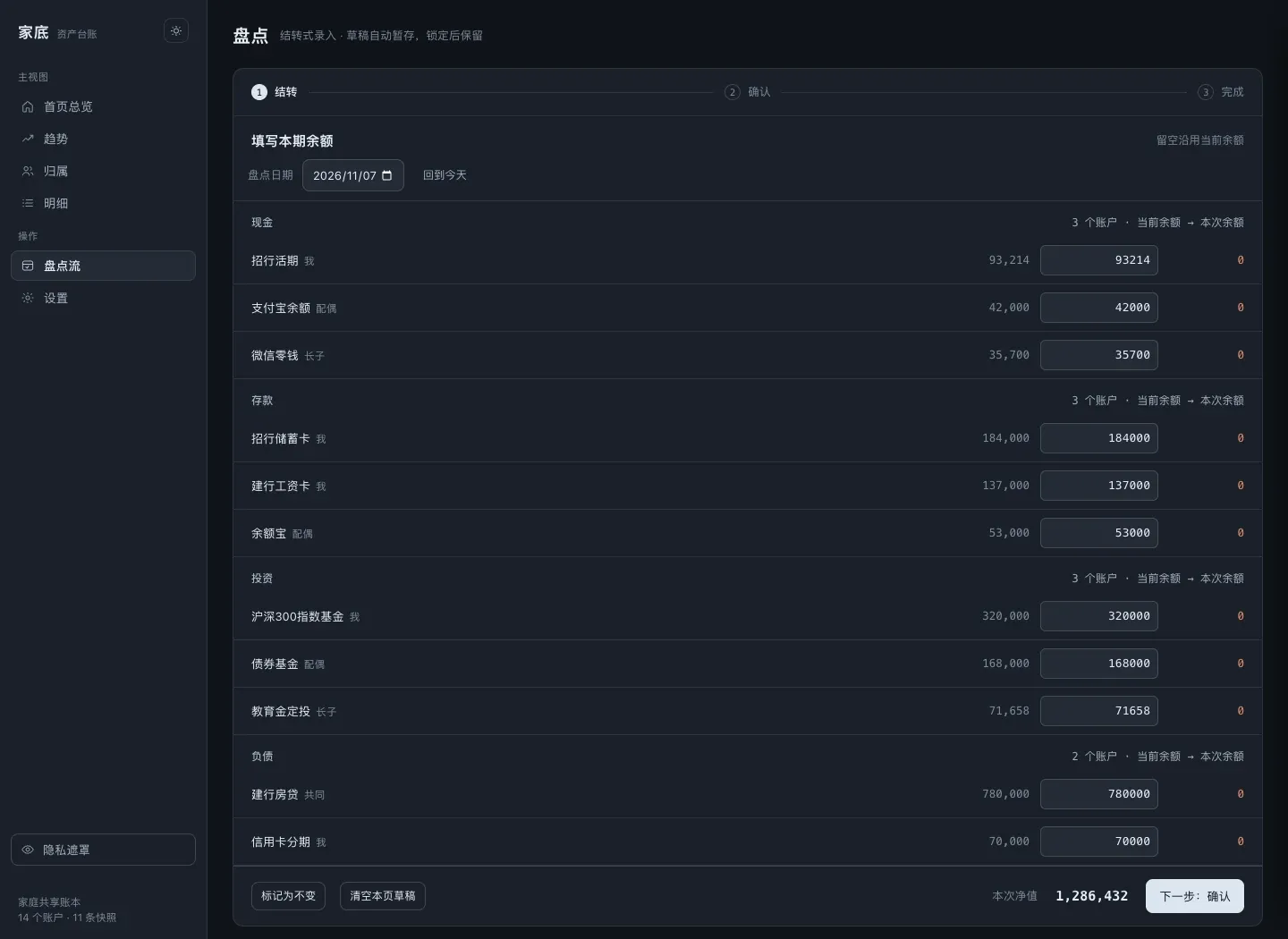
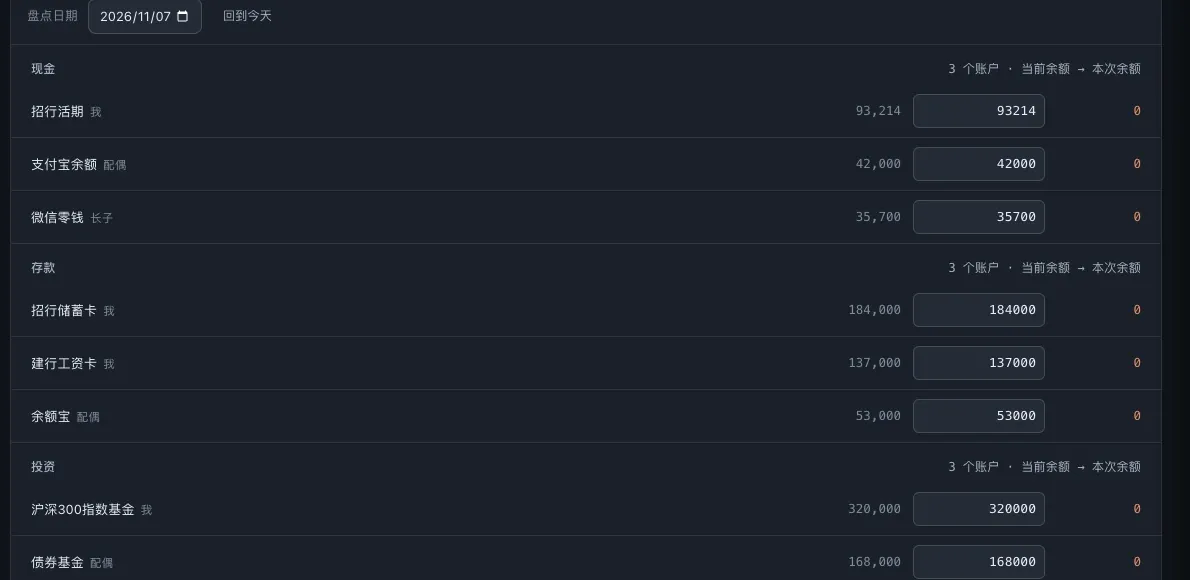
1. Roll forward. Each row has two columns, “current balance” and “this period”. Fill in the ones that moved. Leave a field blank and it carries the current balance, so “nothing changed” costs you zero typing.
A few details on that page exist for people who don’t remember things:
- Net worth recomputes live at the bottom while you type;
- Drafts save themselves: close it halfway through and it’s still there (
Clear this page's draftstarts over); - Nothing moved at all? Hit Mark as unchanged and you’re done in one click;
- The date defaults to today but you can change it (backfilling last month works fine).
2. Confirm. If one account moved way more than last time, Jiadi asks you to confirm that single account. Jumps like that are almost always a typo, a figure entered ten times too big. This step exists to catch it.
3. Finish. It writes a snapshot ({ month, assets, liabilities }) and updates each account’s history point.
If you fat-finger it, undo that snapshot and check in again.
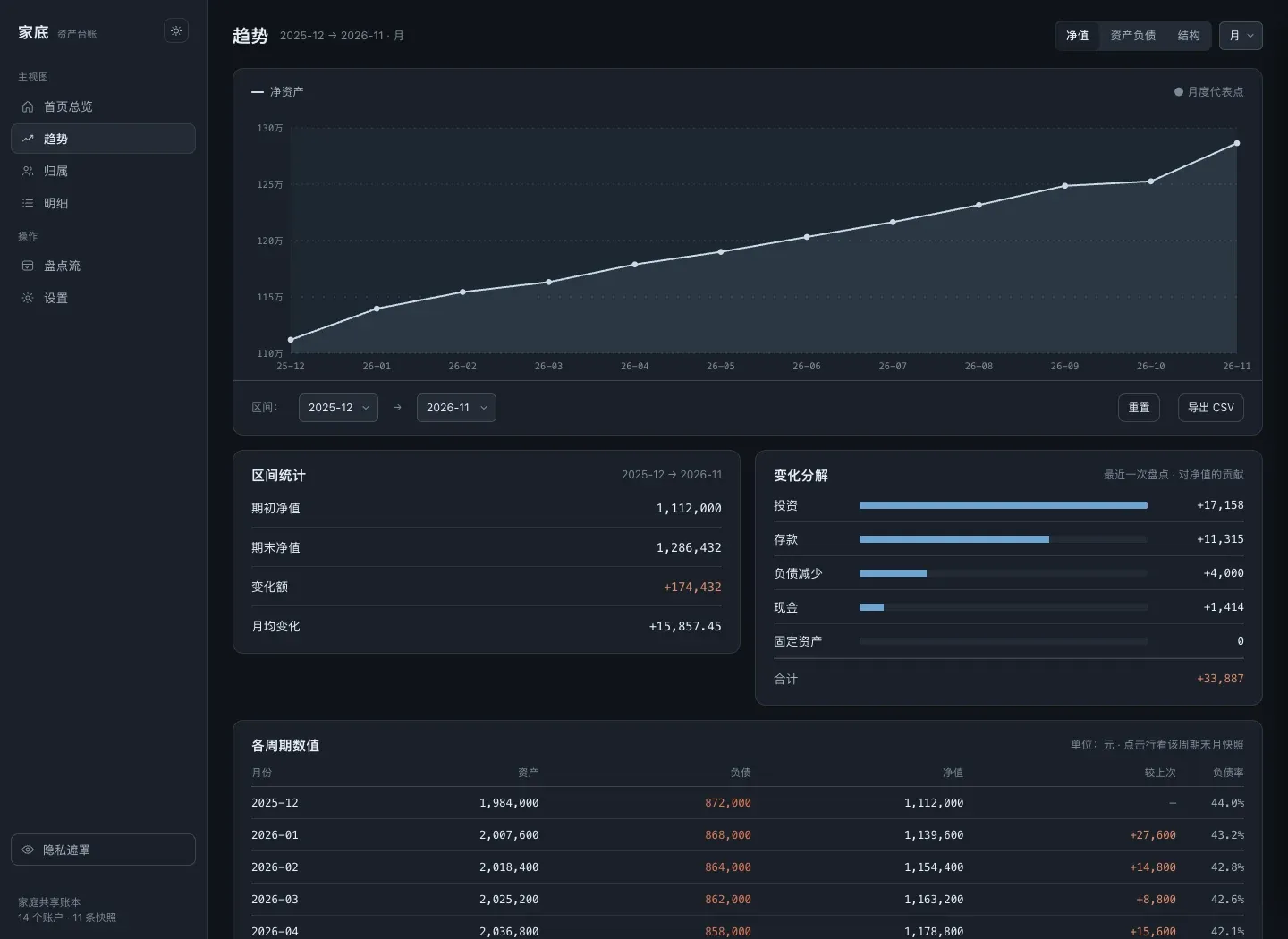
Reading it: three views, three questions
Home overview — “what’s the house worth right now”
Total assets 2,136,432 − Total liabilities 850,000 = Net worth 1,286,432 vs last record +33,887 (+2.71%), debt ratio 39.8%Trends — “up or down?” Three measures to switch between:
| Measure | Draws | When to look at it |
|---|---|---|
| Net worth | Assets − liabilities | What you’ll use most: watch the line grow |
| Assets and debt | Two lines | See whether debt is expanding or shrinking |
| Mix | Each category’s share over time | Check whether you’re too cash-heavy, too investment-heavy |
Ownership — “how much does each of us hold”: a donut segmented by member, with a list under it giving amount, share and change since last time. Shared accounts get their own segment and never get spread across people.
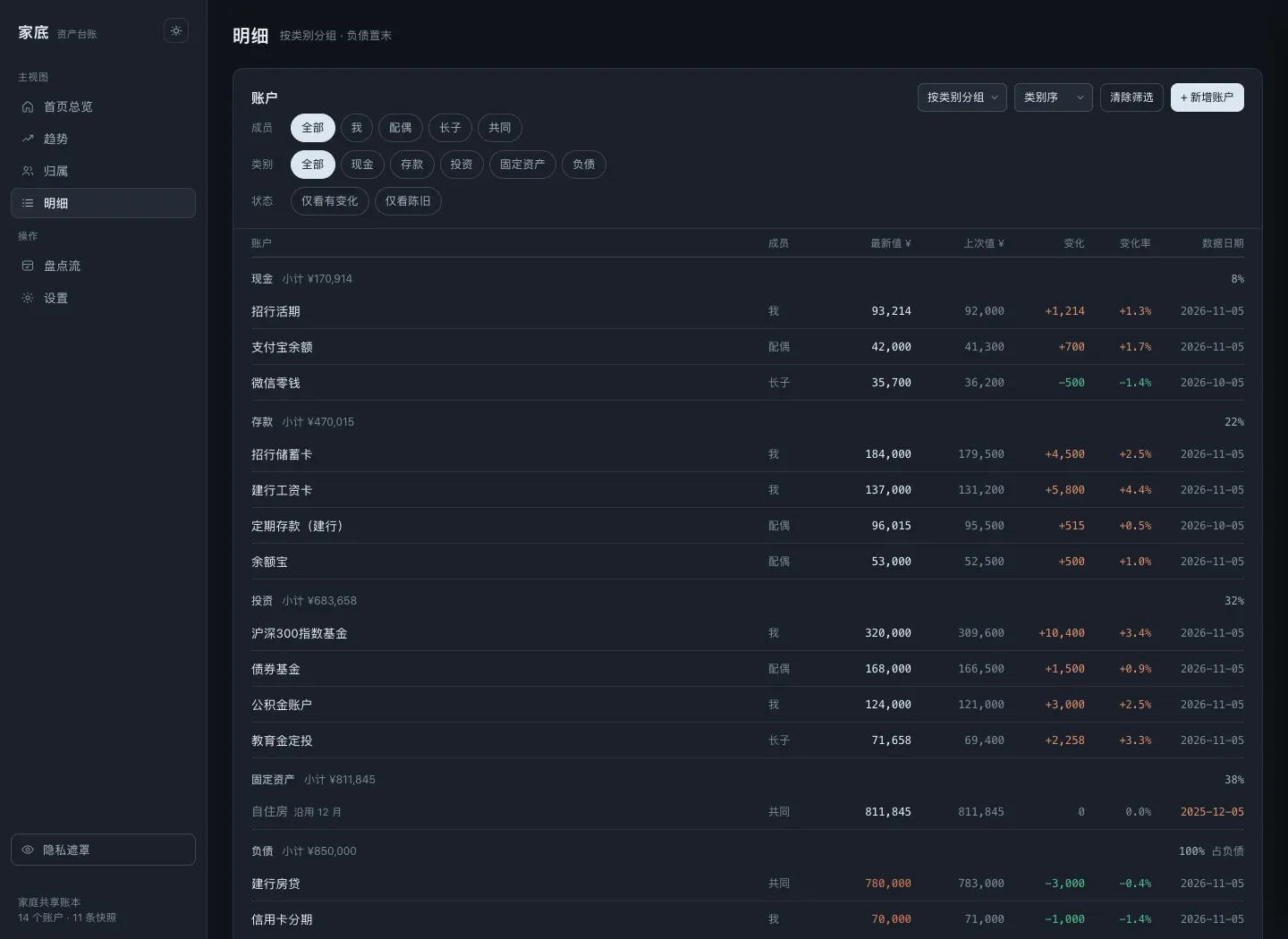
Breakdown — “where’s the money”: grouped by Cash / Deposits / Investments / Fixed assets / Debt, each group with a subtotal and share. Click a row for the account detail and that account’s own history line.
The settings that look editable but aren’t
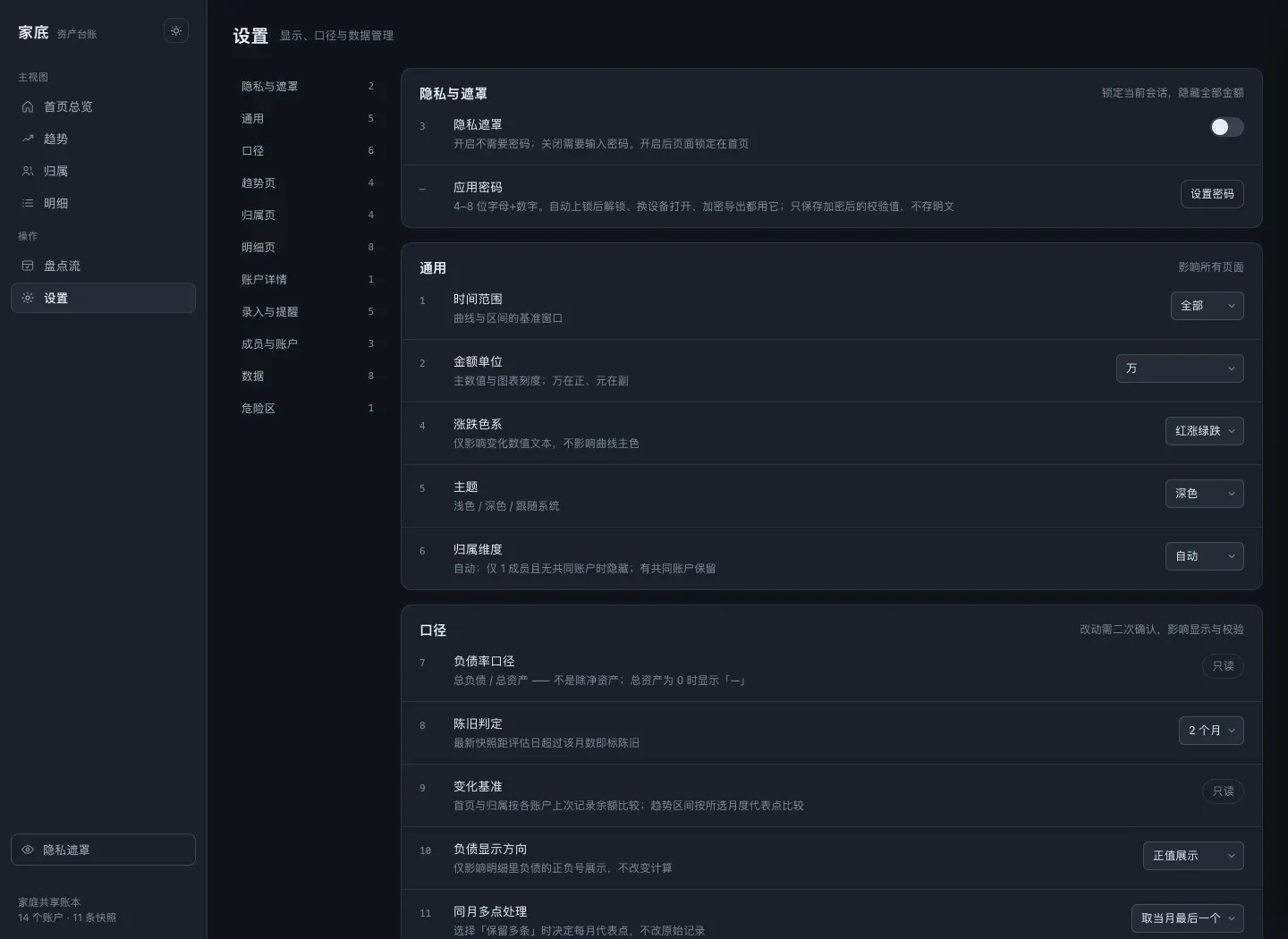
- Debt ratio measure: shown read-only, fixed at
total debt / total assets, with no “net debt ratio” toggle. I deliberately don’t let you switch the formula, and the reason is on the project page: make the measure configurable and two people see two numbers, then start arguing. - Change baseline: also read-only. Home compares against each account’s last recorded balance; Trends compares against the representative monthly point in the selected range.
- Two check-ins in one month: check in twice (a mid-month top-up, say) and you pick
Keep allorUse the last one. It changes which points the trend chart samples. The raw rows never get deleted. - Stale after: 2 months by default. Go longer without a check-in and Home tells you the data is old, which is your nudge to do one.
- Amount unit: ten-thousands (
万) or plain yuan (元). Pick ten-thousands and big numbers read as “213.6万”; the subtitle still shows the exact figure. - Up/down colors:
Red up, green down/Green up, red down. Only the change text changes color, never the line itself.
Showing the family: read-only report and privacy mask
Read-only report: one click and you get a plain static HTML file you can archive or send to family. No controls, no password inside. Good for “show my parents how much we saved this year”.
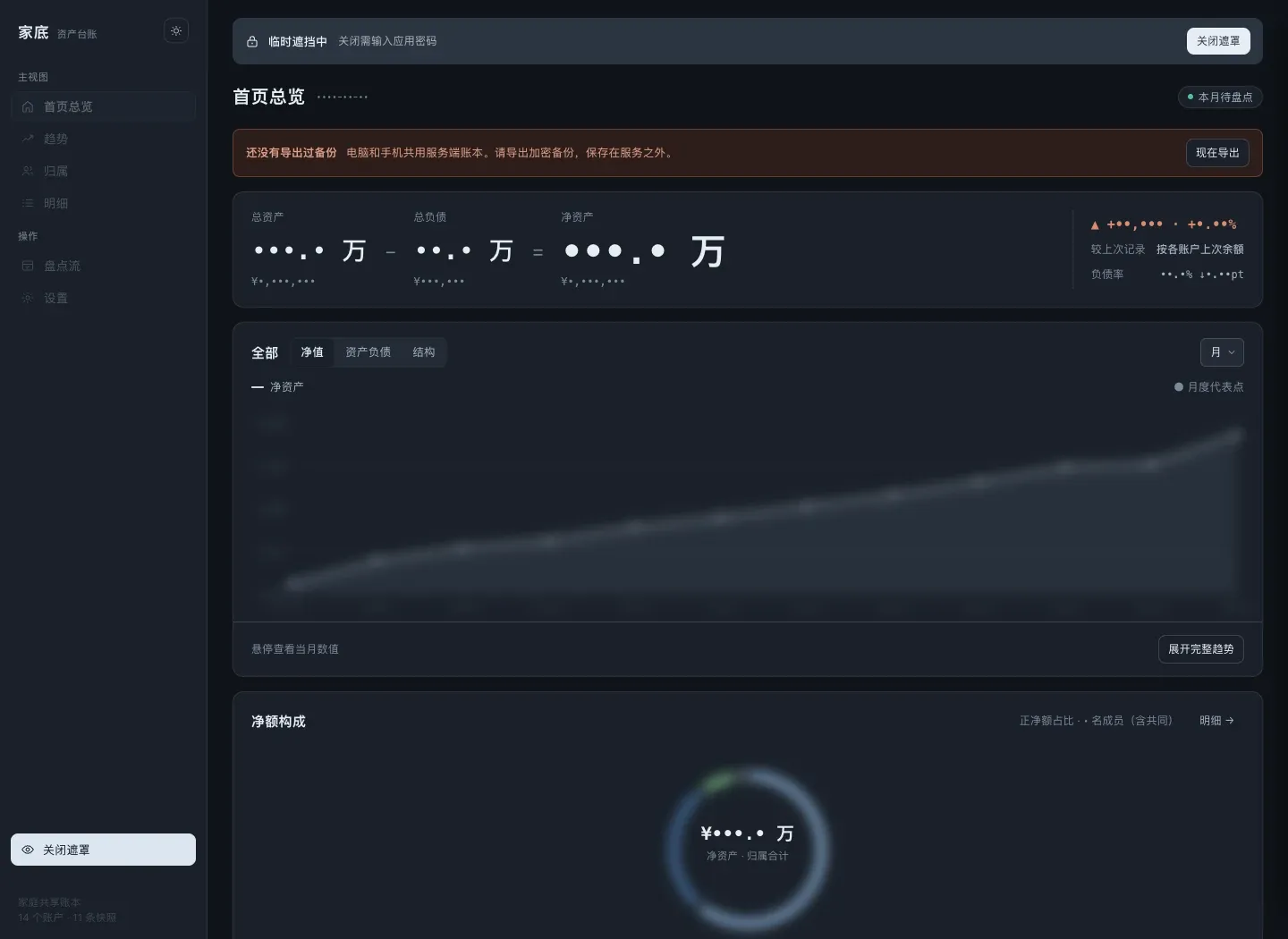
Privacy mask: the button at the bottom of the sidebar. One click swaps every amount for dots and blurs the charts. Handy when you open the laptop next to someone. It’s not access control, just a layer over the display. Want real protection? Use the app password lock.
Backups: encrypted by default
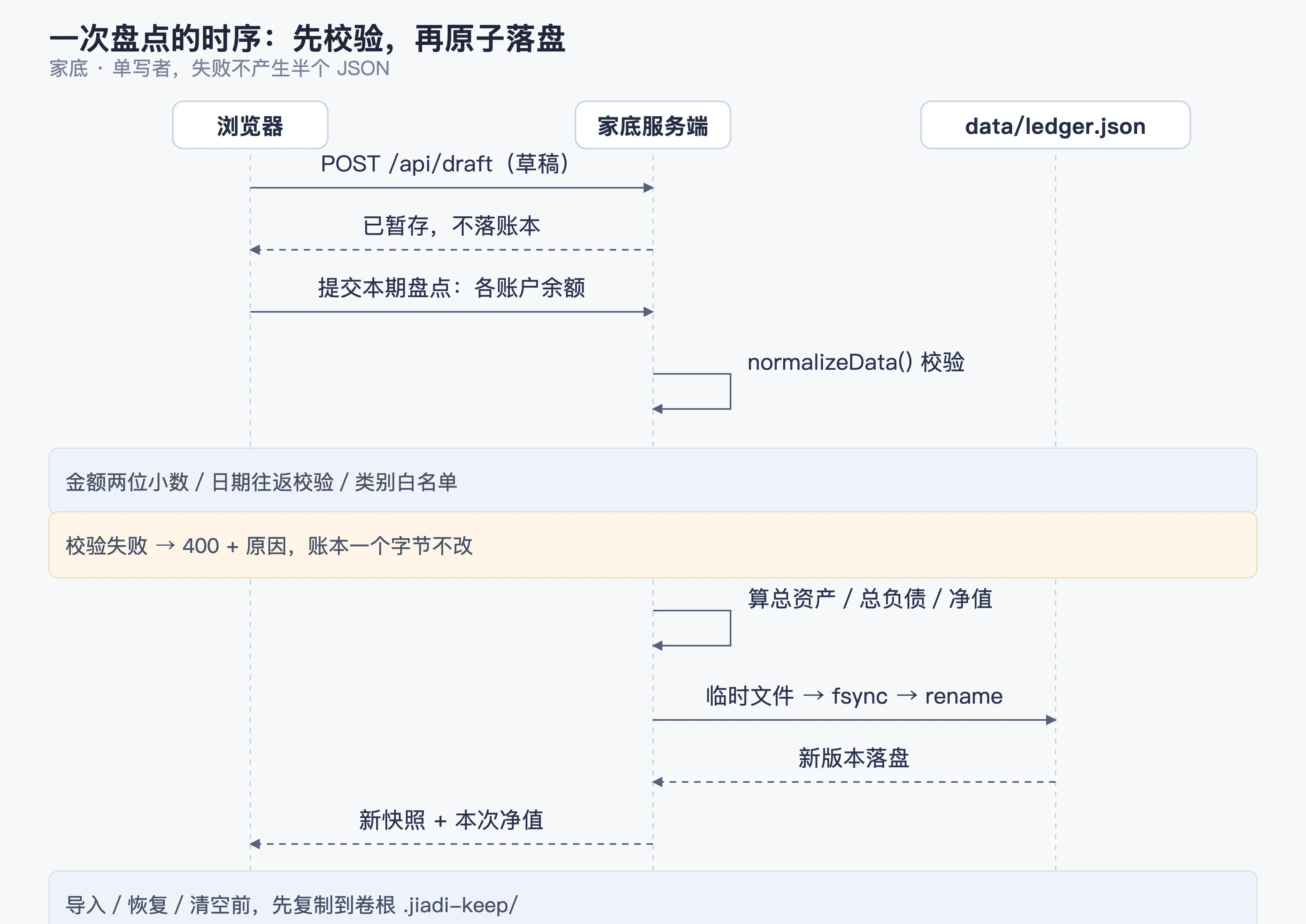
Jiadi has exactly one source of truth: data/ledger.json. Export goes through an encrypted container, not a copy of the plaintext JSON:
format: jiadi.encryptedv: 1kdf: scrypt-N32768-r8-p1 (也接受旧版 pbkdf2-sha256-210000)cipher: aes-256-gcmsalt: 16B iv: 12B tag: 16B data: <密文>A few habits that pay off:
- How often: follow your check-in rhythm. Once a month, right after you finish, is the version that actually happens;
- The password is the app password: lose it and the file stays shut, so keep it somewhere you trust, your own password manager is fine;
- Destructive operations come with a safety net: before importing a ledger, restoring the demo or clearing everything, the server copies the current ledger to
.jiadi-keep/ledger-before-<operation>-<timestamp>.jsonat the volume root. Uninstalling the app doesn’t take it with it; - Imports get checked hard: two decimals max on amounts, dates that actually exist (
2026-02-30is rejected on sight), categories from the whitelist, every account’s member has to exist. Fail any of it and the whole file is rejected. No partial imports; - CSV export exists too, for when you want to crunch numbers in Excel.
Running it with more than one person
- One shared password: everyone uses it, and there are no per-user permissions. Jiadi is built for a family looking at one picture together, not for keeping things from each other;
- Single writer: the server holds a
server.lock, so one process writes. Two devices at once and the later save wins (balances were always “last check-in wins” anyway); - Idle lock: in server mode, 15 minutes without input drops you back to the lock screen (
JIADI_IDLE_LOCK_MSto change it), so a shared tablet doesn’t get browsed by accident; - Phones work: same LAN, same address. The UI is responsive.
FAQ
| Symptom | What to do |
|---|---|
| Forgot the app password | No recovery path, only a hash is stored. Restore from your latest encrypted backup with a password you do remember, which is why the password deserves its own copy somewhere |
| Want to change the debt ratio measure | You can’t, and I don’t plan to add it. Read-only is what keeps the whole family looking at the same picture |
| Not sure about an account’s balance | Leave it blank. It gets marked “pending” and drops out of the totals instead of being counted as 0 and dragging net worth down |
| Checked in wrong | Undo that snapshot and check in again |
| Moving to a new machine | Export an encrypted backup → install it on the new machine → import |
| How much space does it take | One JSON file. Dozens of accounts over years won’t reach a few MB |
| Where does the fnOS micro app keep its data | In the app’s own data/ directory. Backups follow whatever your NAS already does |
The short version
Add members → add accounts → fill in balances once a month → read three lines → export an encrypted backup when you’re done.
Everything else (trend measures, ownership, breakdown, reports, the mask) is a display layer grown on top of that one action. It’s deliberately small, because with bookkeeping, the ledger you actually keep is the only good one.
Related:
- How it works inside (domain validation, single writer, encrypted backups): the Jiadi project page
- Installers and changelog: github.com/Sunanang/jiadi/releases