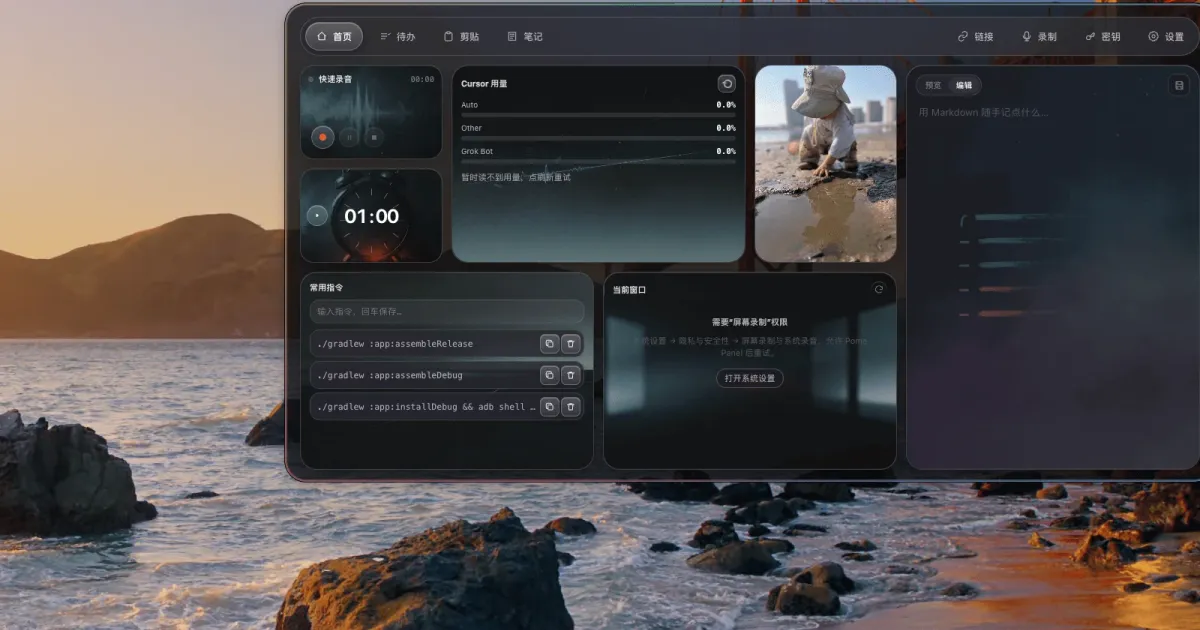
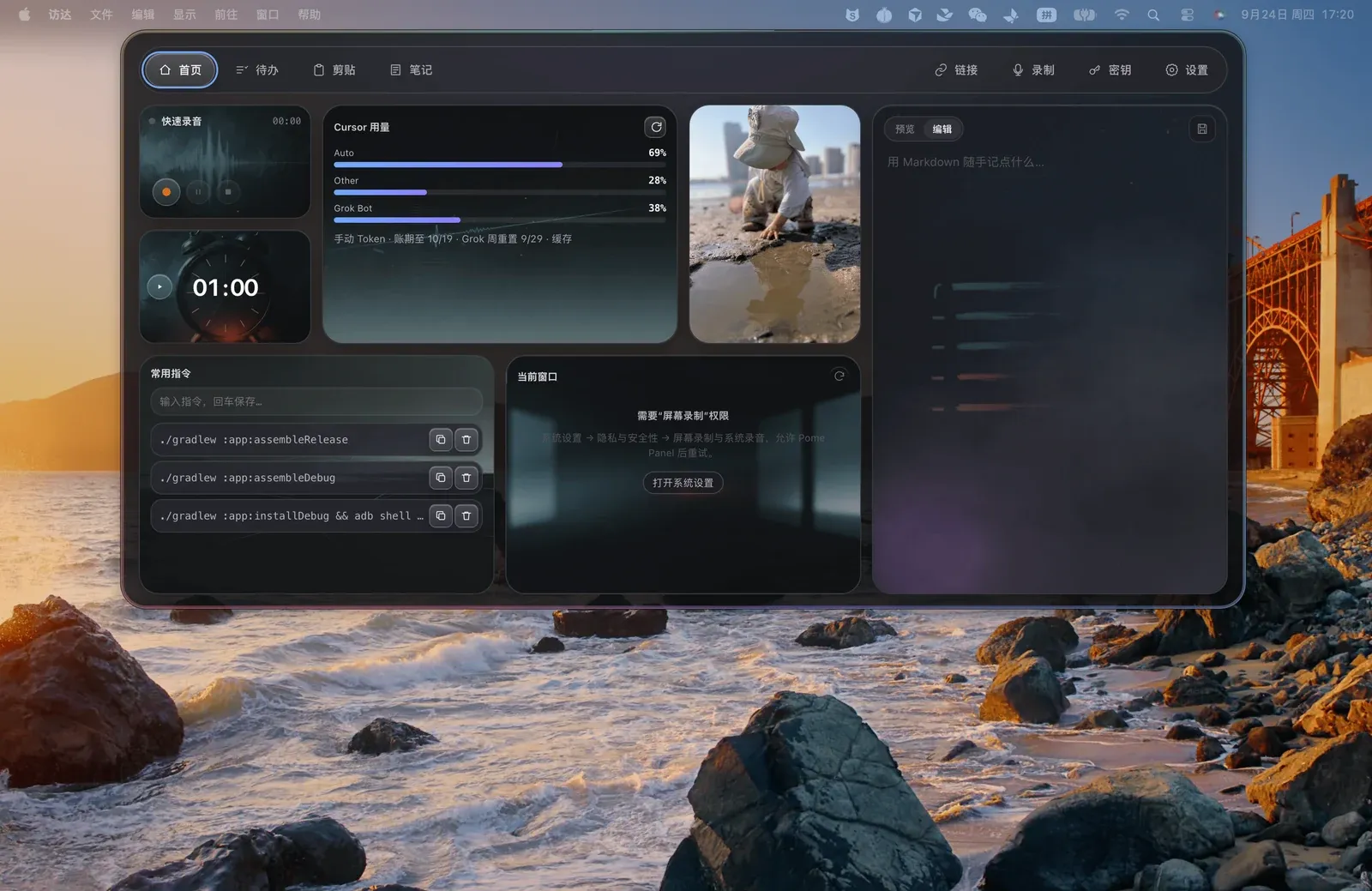
A workbench pinned to the edge of your screen: click the capsule to expand it, tuck it against any of the four sides when you’re done. Todos, notes, links, recordings, quotas and completion alerts for 9 AI tools — and the workspace can pair with an fnOS NAS to sync between machines. No cloud. No account system.
Electron 44, MIT, 168 test files. What follows is how it works, with the sync protocol and the bugs that shaped it front and center.
Stack and size
| Item | Value |
|---|---|
| Version | 0.11.0 |
| Runtime | Electron 44 / Node (main process) |
| Platforms | macOS 13+ (Apple Silicon), Windows 10/11 x64 |
| Packaging | electron-builder 26 (dmg / nsis) for desktop; the NAS companion ships separately as an fpk |
| Code | 42 top-level JS modules + 36 renderer modules + 168 test files |
| Sync | packages/sync-protocol — one protocol shared by the desktop app and the NAS companion |
main.js Electron 主进程:窗口与定位、菜单栏、剪贴板、媒体、通知气泡main-services.js 纯领域服务(不 import electron,可直接 Node 单测)preload.js contextBridge 白名单桥renderer/ 界面与交互packages/sync-protocol/ collections / mutation / pull / pairing / secret-box / migrationfnos/app/server/ NAS 侧伴侣:auth / store / transactionLog / recovery / workspace-viewscripts/ Codex、Claude Code、Cursor、Copilot、Grok 的 hook 转发tests/ 168 个 Node 单测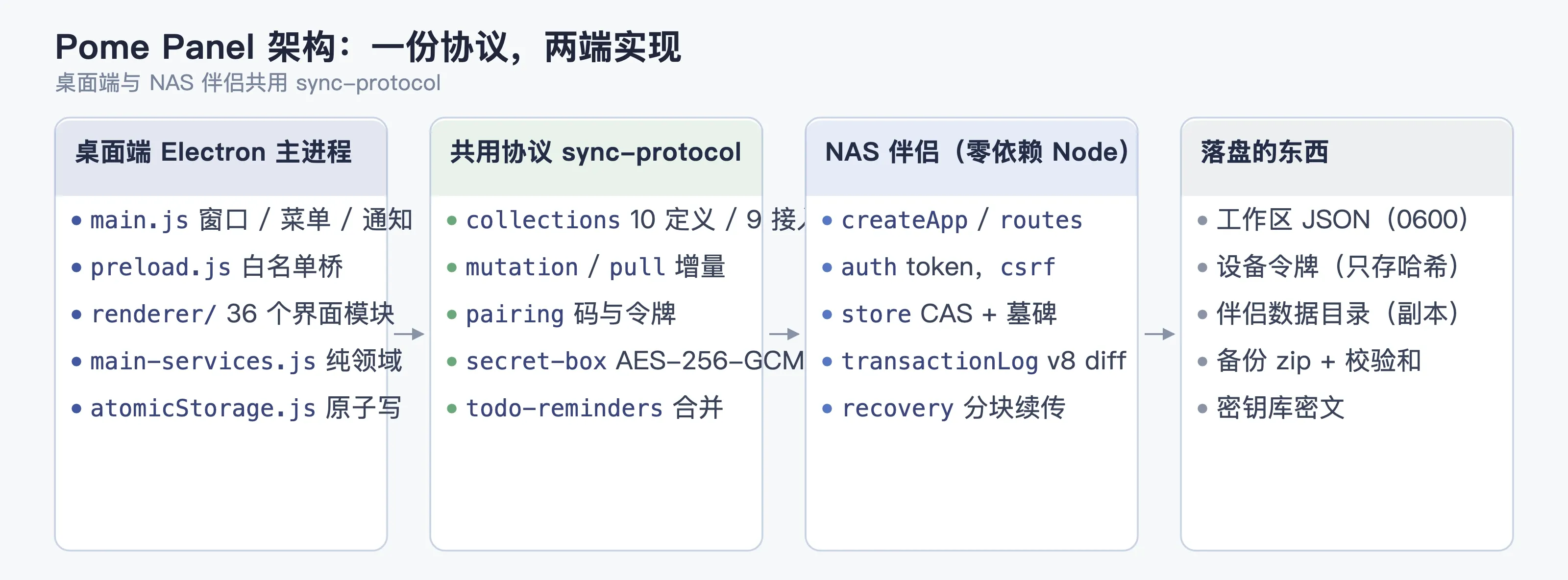
main-services.js is split out on purpose: domain logic doesn’t touch electron. Todo ordering, the reminder window, edge snapping — all of it runs under plain Node, no headless Electron needed. Most of those 168 test files land on this layer.
Constraints picked the shape
| Constraint | What it forced |
|---|---|
| It gets grabbed constantly, so it has to open instantly | Main process stays resident, windows are pre-created, summoning never blocks on animation |
| User data doesn’t go on someone else’s server | Sync only ever talks to a NAS you paired yourself. No cloud, no accounts |
| Two platforms, plus a listing in the fnOS app center | Electron on the desktop, a separate Node companion on the NAS side with zero third-party dependencies |
| It has to read quotas out of each AI tool | One adapter per tool; credentials read on demand, never bulk-decrypted |
Local storage: I’ll take an extra fsync
Workspace state is JSON files, and every write goes through the same atomic path:
// atomicStorage.js
function writeAtomic(filePath, bytes, disk = fs) {
  disk.mkdirSync(path.dirname(filePath), { recursive: true, mode: 0o700 })
  const temporary = `${filePath}.${randomUUID()}.tmp`
  let fd
  try {
    fd = disk.openSync(temporary, 'wx', 0o600)   // O_EXCL:绝不覆盖已存在的临时文件
    disk.writeFileSync(fd, bytes)
    disk.fsyncSync(fd)
    disk.closeSync(fd); fd = undefined
    disk.renameSync(temporary, filePath)         // 原子替换
    if (process.platform !== 'win32') {          // rename 本身也要落盘
      const dir = disk.openSync(path.dirname(filePath), 'r')
      try { disk.fsyncSync(dir) } finally { disk.closeSync(dir) }
    }
  } finally {
    if (fd !== undefined) disk.closeSync(fd)
    if (disk.existsSync(temporary)) disk.unlinkSync(temporary)
  }
}
Reads are deliberately unforgiving: a parse failure is not swallowed. It throws storage_corrupt and leaves the file alone. I’d rather a note fails to open once than get “repaired” into an empty file.
Why not SQLite: the data is a few hundred todos and a few hundred notes. One file is enough. SQLite brings migrations, locking, and native modules along with it, and the sync layer already models everything as collection + entity + revision — JSON is closer to that shape anyway.
Sync protocol: the server only guarantees monotonicity, the client does the rebase
The whole design goal: no central server, no accounts, and two devices still can’t overwrite each other.
Server state (one copy per uid)
live Map<entityId, entity> 当前实体tombstones Map<entityId, {serverRev, deletedAt}> 删除留痕changeLog [] 单调递增的变更流serverRev int 全局单调版本号One push
// fnos/app/server/store.js
if (Number(expectedServerRev) !== b.serverRev) {
  return { error: 'cas_conflict', currentServerRev: b.serverRev }
}
b.serverRev += 1
b.live.set(entityId, { ... })
b.changeLog.push({ serverRev: b.serverRev, entityId, collection, op: 'upsert', at: ts, deviceId })- The desktop app packs a
mutation: collection, entity, and theexpectedServerRevit believes in; - the server compares versions, and if they don’t line up it returns
cas_conflictplus the current version; - the client takes that new version, rebases itself, and submits again — the server never merges. All it does is keep the version number monotonic and append to a log.
Both ends run the same rebase code out of packages/sync-protocol, so you never get a protocol mismatch where the desktop app updated and the NAS didn’t.
Why deletes leave tombstones
Wipe the entity outright and an offline device comes back insisting it’s still alive — your delete resurrects. So deletes write to tombstones (with serverRev and deletedAt), and tombstones go into the change stream too. aiCompletions is nastier: deleted locally while a remote device adds the same id, so the server replays the delete once under the new revision and both ends converge.
One class of data can’t be settled by version
The “already reminded” flag on todos and the AI completion records are mergeable collections. Two devices offline each reminded you about different tasks; on reconnect they have to union, not overwrite whole records. The protocol has dedicated mergeReminderMark / mergeSyncedCompletions for exactly this class.
Migration: express “local wins” as a delete log
Importing old data or switching authority sets authority = 'local', which first turns every entity currently on the NAS into a delete in the change stream, then upserts the local entities one by one. Other devices pulling that see “everything old was deleted, everything new was created” and converge normally — no special override command:
if (row.authority === 'local' && Array.isArray(entities)) {
  for (const [entityId, prev] of [...b.live.entries()]) {
    b.serverRev += 1
    b.live.delete(entityId)
    b.tombstones.set(entityId, { entityId, serverRev: b.serverRev, deletedAt: ts })
    b.changeLog.push({ serverRev: b.serverRev, entityId, op: 'delete', clientMutationId: `mig-del-${migrationId}-${entityId}` })
  }
  for (const ent of entities) { /* 逐条 upsert,同一个 serverRev 序列 */ }
}
Transaction log: pick up after a crash without replaying business logic
Server state changes aren’t rewritten wholesale. It computes a diff and appends:
// transactionLog.js
const patch = stateDiff(before, after)   // root maps + 每个 uid 的字段/映射/追加日志
if (nextLog.length < oldLog.length || oldLog.some((e, i) => e !== nextLog[i]))
  throw new Error('change_log_not_append_only')     // 日志只许追加,违反直接抛
Written with v8.serialize(), read back with deserialize(). recovery.js also checkpoints long jobs (bulk migrations) chunk by chunk.
Pairing and auth
- The NAS companion generates a 6-digit pairing code (
000000–999999, uniform fromcrypto) with an expiry; - the desktop app trades that code for a bearer token for this device alone (the server stores only a hash);
- after that, every request runs
verifyToken()→{uid, deviceId}, and data is isolated by uid; - when traffic comes through the fnOS micro-app gateway (unix socket + path prefix), identity comes from the gateway’s passthrough header and is only trusted when
trustGatewayis explicitly set. Otherwise a device token is mandatory.
The secrets vault never lands in plaintext: secret-box.js encrypts with AES-256-GCM (12-byte IV) before anything enters sync, and the key lives in the local keychain. The server never sees plaintext, start to finish.
AI quotas and completion alerts
Nine adapters (Claude / Codex / Cursor / Copilot / Grok / Antigravity / Manus…) each read local credentials and work out what’s left. The interesting part isn’t the scraping — it’s when scraping is allowed:
- Nothing is read on startup. Reading stored tokens for quotas only turns on for this run after you click Read quota or Retry authorization in Settings → AI;
- once you’ve declined an authorization it never retries on its own. You have to click;
- tokens and recording config aren’t decrypted on the list page — the keychain is only touched when you open the page that needs it;
- it doesn’t ask for your Mac login password and doesn’t walk the keychain. System authorization goes through the macOS prompt.
Completion alerts are a separate wire: hooks in Codex / Claude Code / Cursor and friends fire scripts/*-notify.js, which hits a local HTTP port from POME_NOTIFY_PORT, and the main process decides whether to pop anything via aiEventPolicy.js + aiNotificationScheduler.js. If the port is taken it reports the problem and retries on its own.
Meeting mode (auto-detect) goes quiet if any of three things is true: the camera’s been live for about 3 seconds, screen mirroring or sharing is detected, or the system is in Do Not Disturb. It comes back about 30 seconds after all three clear. It reads status flags only — no frames, no audio. When it can’t tell, it shows can’t detect and an already-triggered pause stays on. I’d rather miss one alert than pop one in the middle of a meeting.
Bugs I hit, and what fixed them
Line by line, these map to fixes in the repo.
| Symptom | Root cause | Fix |
|---|---|---|
| On multi-monitor or multi-Space setups the panel won’t summon, and the capsule hangs on the wrong screen | Positioning used main-screen coordinates only, while window identity is bound to a display on macOS | Walk every display and Space to find the window back, then restore the remembered position |
| After repeated hide / show the window vanishes or drifts | Native visibility state falls out of sync after enough toggles | Pull visibility lifecycle into one layer that owns it; merge only once regression passes |
| On Windows the notification never goes away after native focus closes, and they stack up | Closing depended on focus events, which fire in a different order on Windows | Dismiss proactively when native focus closes |
| Cursor quotas always fail to read | Cursor stores credentials encrypted; the code read them as plaintext | Decrypt encrypted credentials before querying |
| Codex quota numbers jump around, sometimes unreadable | The parser was too sensitive to output format changes, with no recovery path after a failure | Stable parsing, plus automatic recovery on the alert path |
| Quota progress bars get shoved sideways | The classic scrollbar eats width; layout assumed none | Reserve scrollbar width so rows stop shifting |
| Negative temperatures lose their minus sign | Temperature layout assumed a fixed width | Measure actual width and leave room for the sign |
| Percentage digits wrap or don’t line up | Width was measured with a monospace font instead of the real one | Measure each run of text at the real weight |
| Codex wrapped by Computer Use stops sending completion alerts | Wrapping Codex one layer deep breaks the hook chain | Detect the nesting, repair it, clean up the stale Pome layer and keep the original alert chain |
| Package verification false-alarms in CI | It hashed the whole package, timestamps included | Compare only the product identity fields in package.json |
How I test it
The 168 test files are almost all plain Node unit tests (no Electron). There’s also a dedicated regression script that loads up the work hub:
npm run check:work-hubFixed fixture: 250 notes, 200 todos, 100 links, 20 recordings, 50 completion records. It runs 20 iterations each of normal summon and isolated NAS sync load, records P95 and geometry into dist.noindex/iteration-validation/<run-id>/, and the generated files stay out of git. Windows-on-real-hardware checks with physical displays and DPI scaling happen separately — a virtual environment can’t reproduce DPI scaling problems.
Tradeoffs and known limits
| Choice | Alternative | Why not |
|---|---|---|
| CAS + client-side rebase | Three-way merge on the server | Merge logic would have to exist twice, server and client; making the server only guarantee a monotonic version is more reliable |
| JSON + atomic writes | SQLite | The data volume doesn’t need it, and the sync layer already models things by entity |
| Hand-rolled pairing (6-digit code + device token) | OAuth / cloud accounts | If data doesn’t go to the cloud, don’t drag cloud identity in |
| Mergeable collections handled separately | Plain LWW everywhere | Reminder flags are union semantics; overwriting loses “already reminded” and you get bothered twice |
| No quota reads at startup | Background refresh on a timer | Reading credentials without permission is over the line. Let the user click |
Known limits: two devices that are both offline can still each remind you once (the marks merge on reconnect, but an alert already shown can’t be recalled); homeLayout isn’t wired into sync yet; sharing detection only covers system mirroring and the share controls in supported apps, and web-based sharing isn’t guaranteed to be caught; Windows Do Not Disturb detection relies on a Shell compatibility query, so older builds show “can’t detect”.
Where to get it
- Installers: github.com/Sunanang/Pome-Panel/releases
- Source (MIT): github.com/Sunanang/Pome-Panel
- Step-by-step NAS setup (pairing / sync / backups): Hooking Pome Panel up to your own NAS